sideview puts many tables side by side on a pan-and-zoom canvas, so you can compare them, connect columns to build joins, check those joins before you run them, and take away reproducible tidyverse code. It runs as an RStudio gadget or as an htmlwidget you can save to HTML or embed in Quarto and R Markdown.
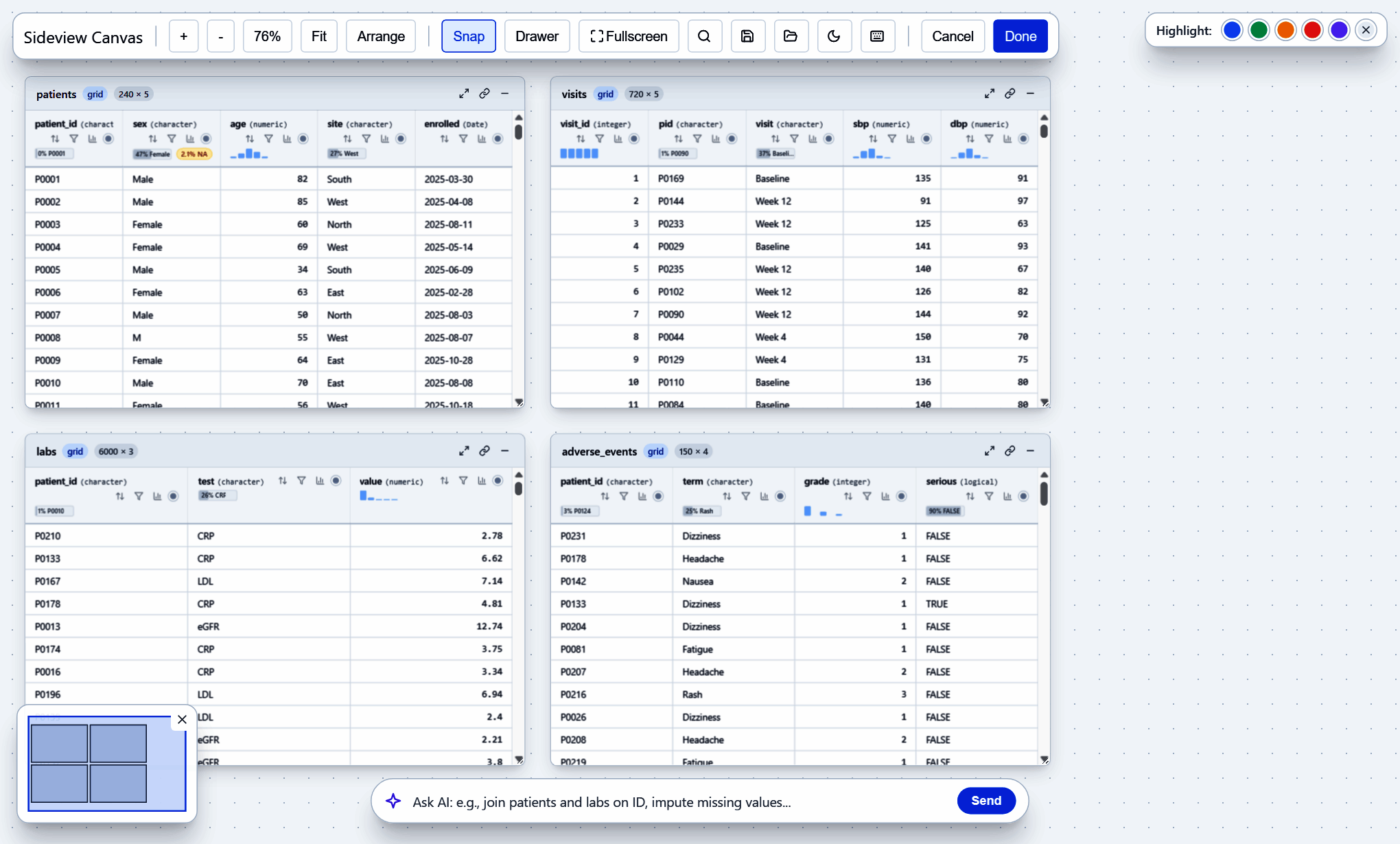
Take the visual tour to see every feature in a screenshot.
Installation
Install the development version from GitHub:
# install.packages("remotes")
remotes::install_github("lauyeehow1986-hub/sideview")
Key Features
-
Many Tables at Once:
data.frame,tibble,table,matrix,gt,flextable,arrowtables and datasets, andduckdbconnections each become a card on one canvas. Tables of 100,000+ rows scroll smoothly. -
Canvas Navigation: Wheel zoom (15%–350%), pan, drag and snap cards, Fit and Arrange, a minimap,
Ctrl+Kto find a card or column, and double-click a card title to zoom to it. -
Visual Joins:
- Draw a spline between two columns to generate
dplyrjoins, including multi-key joins. -
sv_suggest_mappings()proposes likely keys from name, type and value overlap. -
Join diagnostics (
sv_join_diagnostics()) show match rates both ways, unmatched keys, 1:1 / 1:m / m:m relationships, rows per join type, and NA, spacing or case problems in keys.
- Draw a spline between two columns to generate
-
Composable Pipeline: Every sort, filter, join, rename, recode, mutate, reshape or summarise becomes a step you can toggle, reorder or delete, with undo/redo and a
%>%/|>choice. Sorts and filters run on the full data in R, not just the rows on screen. -
Data Quality:
- Header sparklines and missingness badges.
- Category discrepancy detection with auto-clean rules (
sv_detect_discrepancies(),sv_auto_clean_rules()). - A column inspector (
sv_column_profile()). - A data dictionary export (
sv_codebook(), CSV or XLSX).
- Into Your Script: Insert the generated code at the cursor in RStudio, send it to the console, or run it and keep the result.
-
Save and Reopen Workspaces: Card positions, zoom, joins and the pipeline (
sideview(..., state = "canvas.json"),sv_save_state(),sv_load_state()). - AI Copilot: Ask a local Ollama model or any OpenAI-compatible endpoint for tidyverse code. Only schema summaries are sent, never raw rows.
-
Themes and Keyboard: Light, dark or automatic (follows RStudio),
sv_theme()or abslib::bs_theme(). Press?on the canvas for every shortcut.
Quick Start
library(sideview)

patients <- data.frame(
  patient_id = c("P01", "P02", "P03", "P04"),
  age        = c(45, 52, 38, 61),
  sex        = c("Male", "Female", "M", "Fem")
)
visits <- data.frame(
  patient_id  = c("P01", "P02", "P03", "P05"),
  systolic_bp = c(120, 140, 115, 130)
)

# 1. Open the canvas (RStudio dialog by default; also viewer = "pane" or "browser")
if (interactive()) {
  sideview(patients, visits)
}

# 2. Check a join before you run it
sv_join_diagnostics(patients, visits, by = "patient_id",
                    x_name = "patients", y_name = "visits")

# 3. Build a data dictionary across tables
sv_codebook(patients, visits)

# 4. Share the canvas as a standalone HTML file
save_sideview(sideview_widget(patients, visits), file = "study_overview.html")
To embed the canvas in Quarto or R Markdown, put sideview_widget(patients, visits, height = "650px") in a chunk.
sideview is a research and education tool for exploring and preparing data. It is not medical device software and is not intended for clinical decisions.